Automobilista 2 supports the VNM Direct Drive Firmware controller device out-of-the-box as a Custom wheel.
Configuration is straight-forward and can be done in game in the Options menu.
-
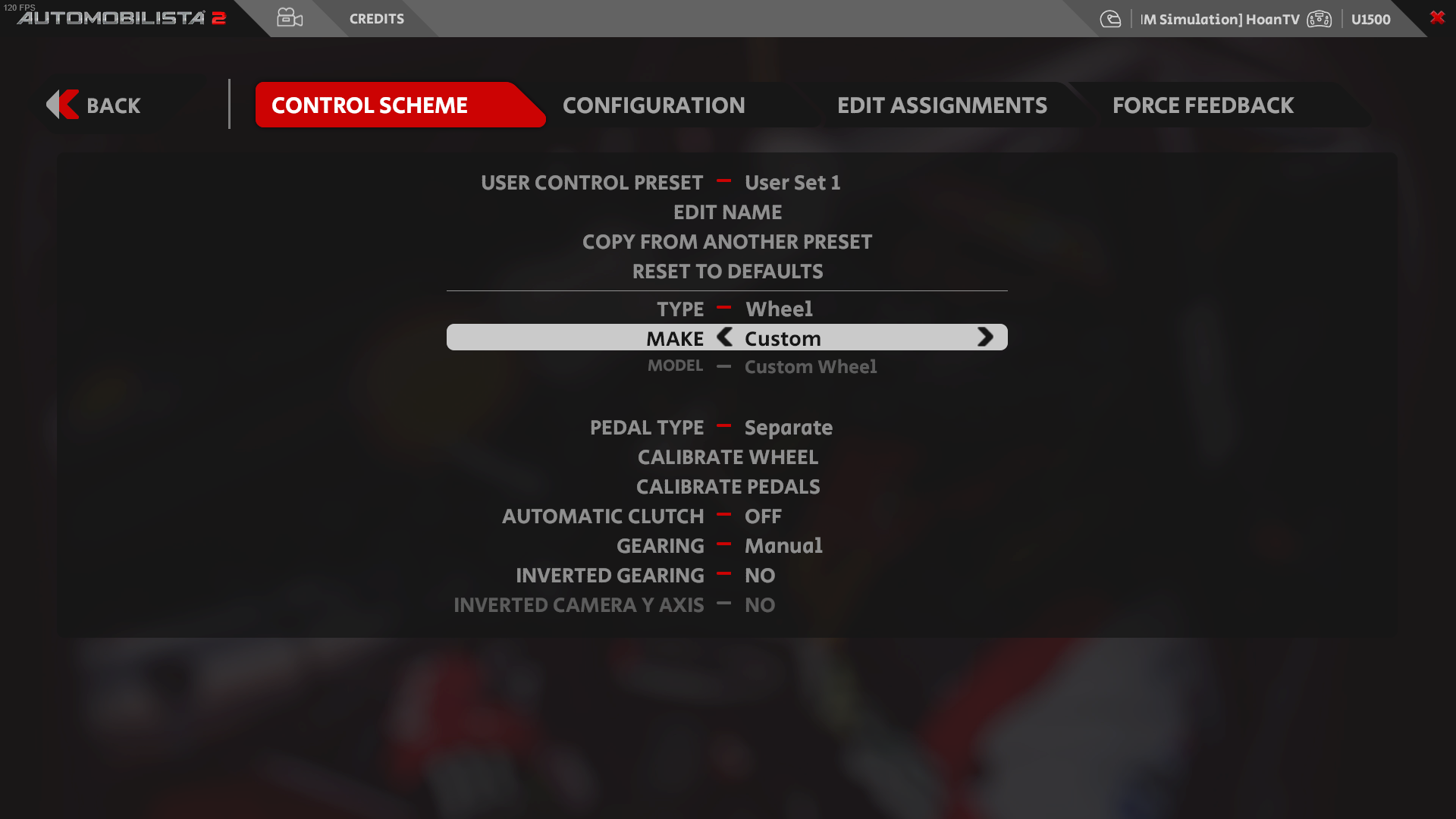
Go into Options > Controls. In the Control Scheme tab, select the Type section and choose “Wheel”
-
In the Make section, choose “Custom”
-
Set Pedal Type to “Separate”
-
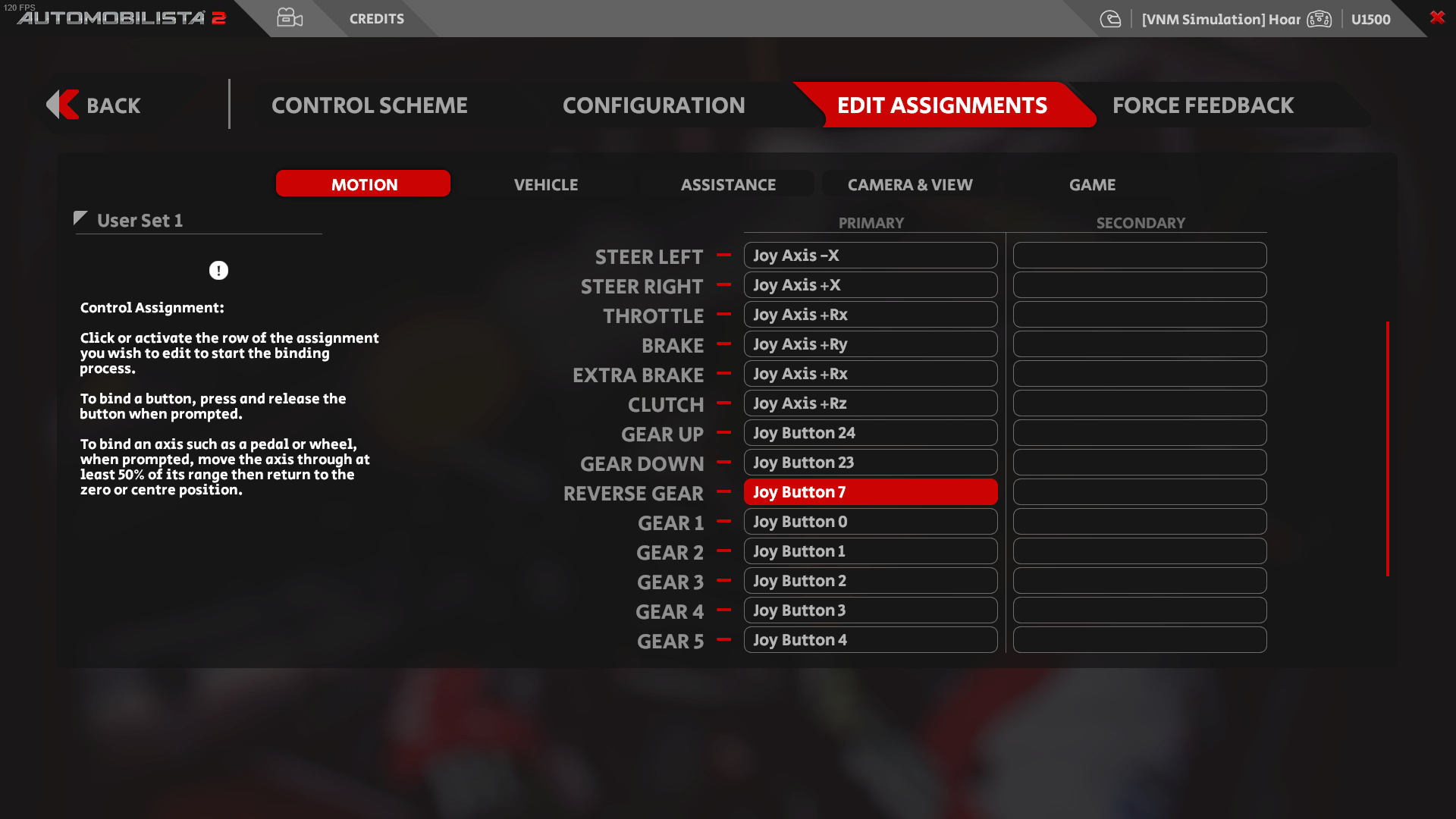
Go into Edit Assignments. Click on “Steer Left” and “Steer Right” to bind it to your wheels. Note that you need to turn the wheel to 50% and return to center for the game to recognise the input
-
Do the same for Throttle, Brake and Clutch
-
Go back into Control Scheme, choose “Calibrate Wheels” and follow the game instruction. Do the same for Pedals
-
Set the Force Feedback settings to your liking
Setting for Project Cars 2 are done the same